Maximise your rewards effortlessly. Follow these brief steps to seamlessly access your loyalty benefits right from your Android.
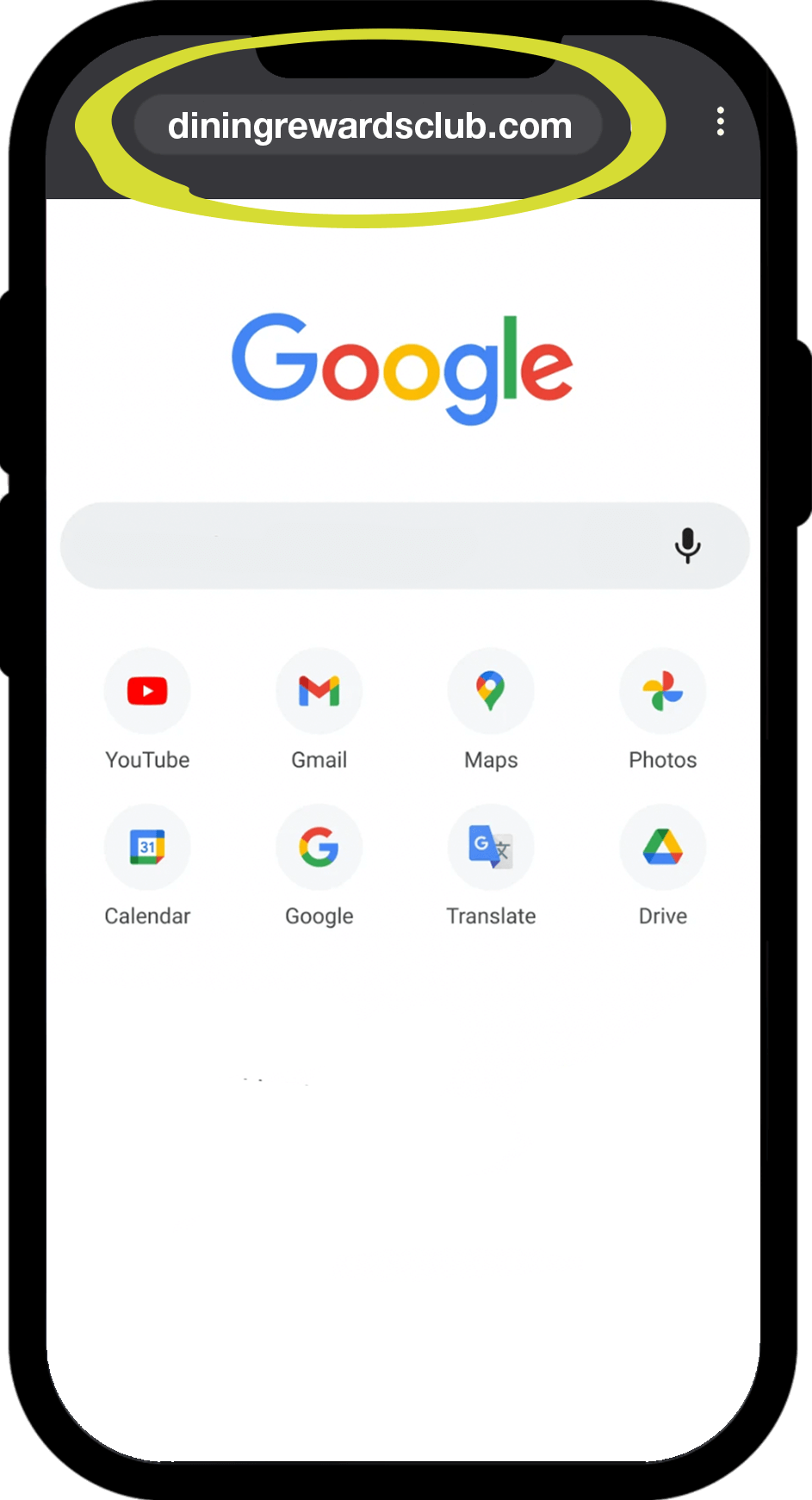
On your Android, open a Google Chrome browser and search diningrewardsclub.com.au
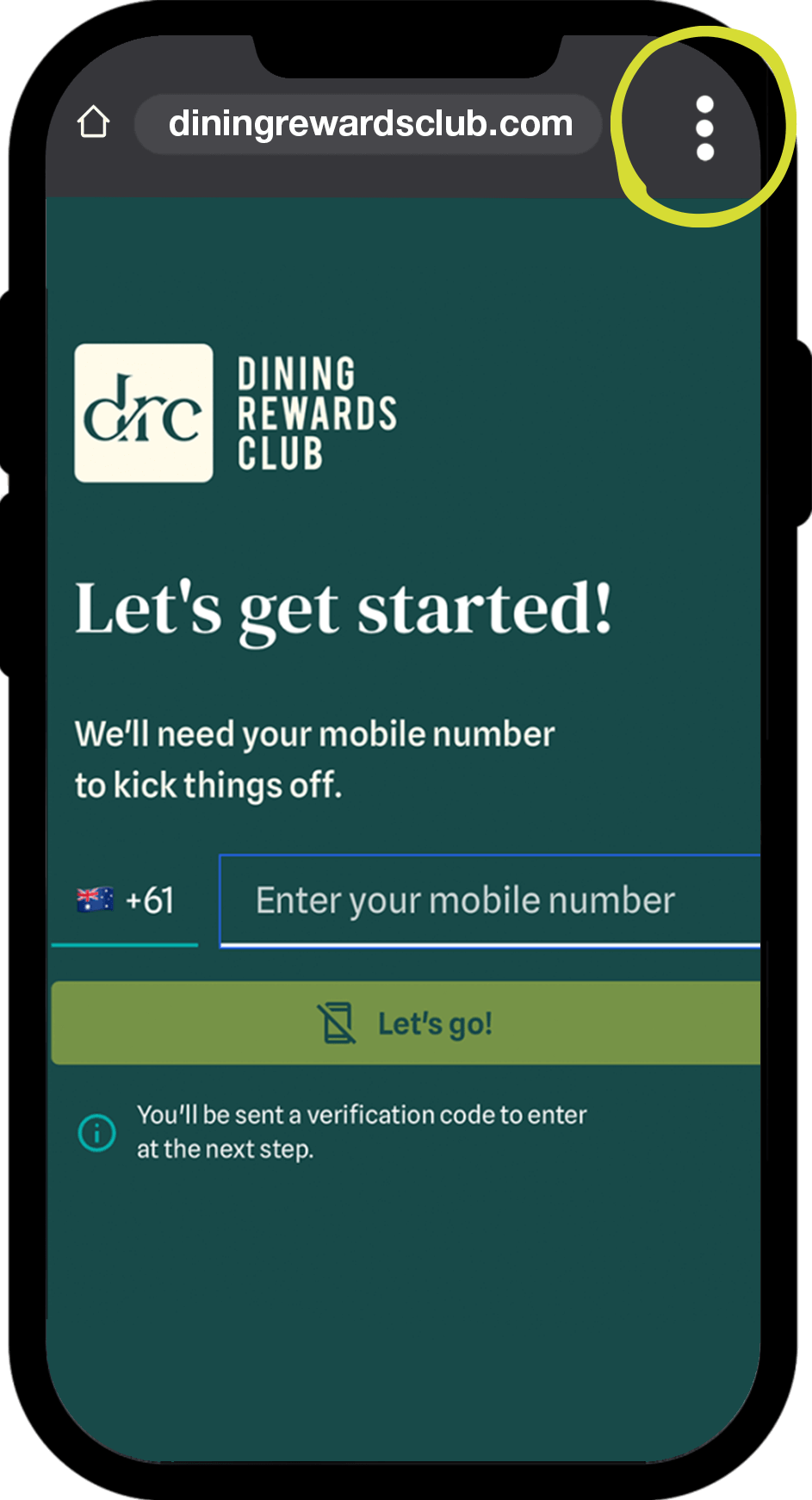
Click on the three-dot icon on the top right-hand corner of your screen to drop down the menu.
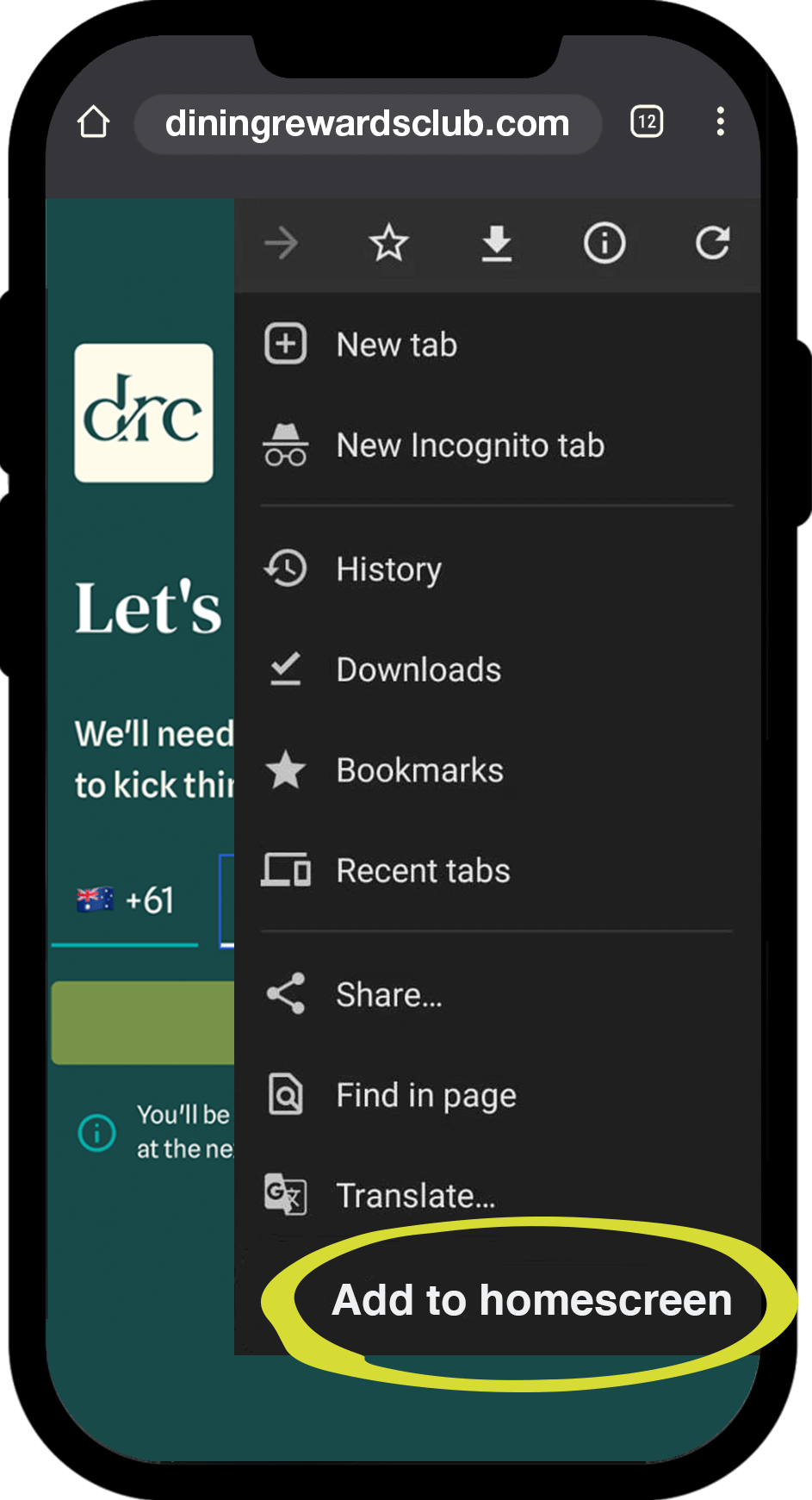
Select the ‘Add to Home Screen’ option & click on ‘Add’
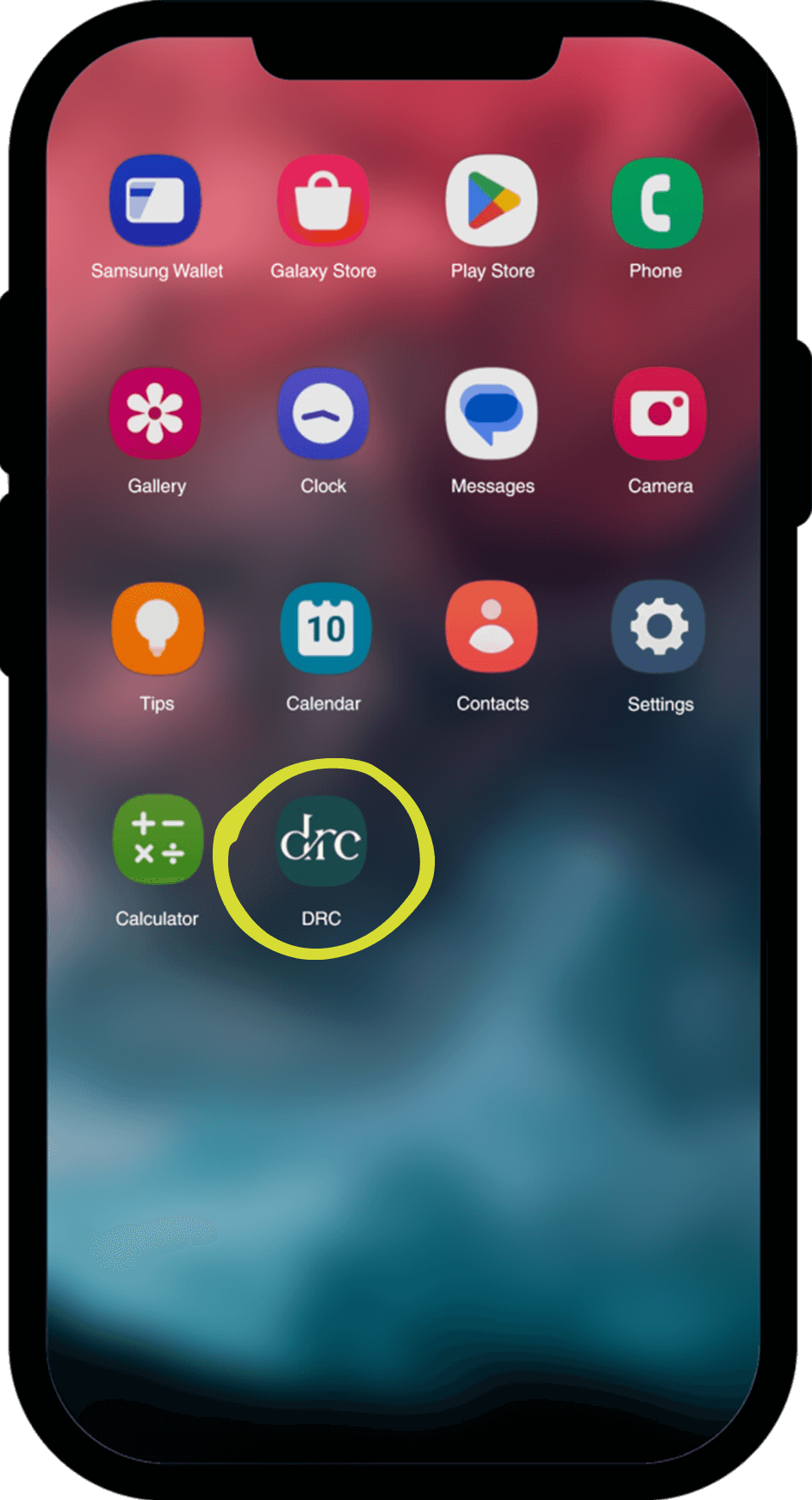
You can now access the DRC app from your Home Screen and follow the prompts to register – it’s as simple as that!